Showing posts with label retouching. Show all posts

Wednesday, October 20, 2010

Tuesday, September 14, 2010

Imaging 4, Artificial Elements

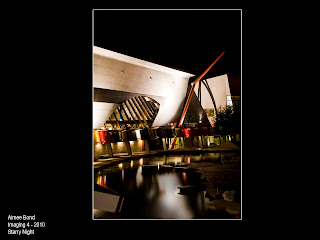
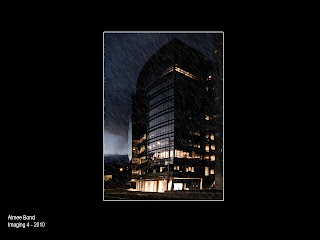
So for Kate's 2nd assignment we were asked to add artificial elements to a photograph that would suitable go with the image.
So the first one i did "stars". I added stars to the sky, but also in the reflection on the water.
The website i used for this was:
http://www.photoshopessentials.com/photo-effects/starry-sky/

The steps follow:
Add a new layer filled with black. Add noise to this image with Gaussian and Monochromatic turned on.
Create a Gaussian Blur with a very small radius.
Select the Sky, still on the noise layer by adding a layer mask, then adjust the levels, by bringing in A LOT of black, they grey and white is then adjusted to suit your needs.
Set this image to "screen".

This image was helped by the aid of:
http://www.knowledgesutra.com/forums/topic/37180-how-to-make-cool-rain-effect/

Duplicating the base image, adjust the levels of the image to suit a dark, moody rainy night.
On a new WHITE layer, add some noise.
Create some motion blur on this image. Depending on the resolution of the image, it may need less or more.
Using the Levels tool, adjust the BLACKs, by adding a lot more. the grey and white are also slightly adjusted to have more depth.
Repeat the steps, and angle the Blur to a slightly less vertical position to create some "cross-hatching".

Wednesday, August 25, 2010

retouching 2

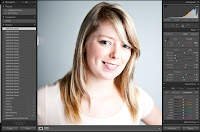
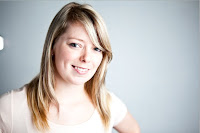
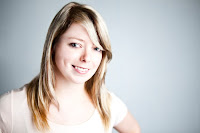
so this is my second image editing.. start off with the raw image with Lightroom edits.

Photoshop cs5 enables selection around the hair to be absolutely amazing, which i can "cut out" the model, as the background is obviously not acceptable.
The following layers include photoshopping to the face and clothing with the new background. Using a combination of clone, dodge, blur and patch this is the final edit.


Thursday, August 19, 2010

retouching 1

This is for Imaging class with Kate Luke.
This image is my head shot image using appropriate photo-retouching. I thought because this image was a very clean, nice portrait i decided not to take the editing to "full" lengths as it would over-do the photo.
I started off with the Raw image:


Then did some minor production in Lightroom:


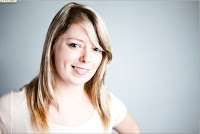
Following i retouched this photograph in CS5.
Exported file from Lightroom:


The first layer to edit on is the hair.
I cloned the hair from other spots and blended it in to match original hair (this is mainly visible in the fringe). Using the Dodge tool, i created nice highlights in the hair, and the Burn tool to use on the darker parts of her hair.
This layer also included minor skin adjustments, moles and blemishes using the Clone tool, and also the Dodge tool.


The 2nd layer I focused more on the skin:
This is where i "blurred" the skin on a low strength. I also used the Dodging tool and Patch tool to smooth out more areas in the skin.


The 3rd layer I focused on the eyes, wrinkles:
Using the Patch tool this removed wrinkles but remained detail and texture.


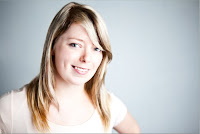
The 4th and final layer is where i played more around with "typical aesthetics", removing weight of her face and making it a bit more "magazine-looking".
This was done using the Liquify tool. Using this function can be over-used and it can also remove a lot of detail within a photograph if used too much as it is be compressed away. Also I added more texture to the left of her face using the Burn tool.